
Lighting CG Objects Through Compositing
- Jan 10, 2023
- 2 min read
Updated: Jan 29, 2023
Project 1 (VSFX 420 Technical Compositing)
January 25 2023 (Class 6)
Results:
Based on feedback, I can make this project better by making the object occlusion even darker and reducing the exposure of the fill light to make the projection of shadow less bright.
January 23 2023 (Class 5)
For today's update, I added two new objects to the scene inspired by 2022 FIFA World Cup.
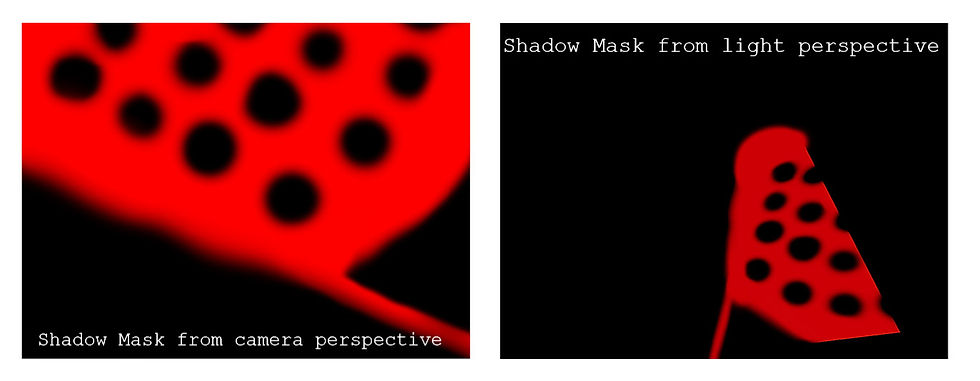
In addition to this, I added the environment shadow as projection onto the objects. I also added object occlusion to reduce the glow at the bottom of the grey and soccer balls and refined the ground occlusion.
Nuke Scripts:


New Render Passes:


Soccer Ball Textures:

January 20 2023 (Class 4)
For today's blog, I realized I had to retake my images because the shadow plate and the clean plate were slightly off and not in the same position.
Here is a still frame of how close I got to match the light/shadow after retaking my pictures and following the process stated before.

Nuke Script

Following my references, I think I need to make the occlusion shadow less dark.
Grey Ball References:


Rendering Passes from Legacy Render Layers in Maya:

Animation:
After rendering out my first animation test, I realized that I need to adjust the cone size of my spotlight because as you can see towards the end of the video, there is a shadow from the spotlight.
Also, I am still figuring out which should be the correct color space output when rendering out from Nuke. For now I am rendering PNGs with output Rec.709 which gives me the best results.
January 18 2023 (Class 3)
I finally decided the images I will be using for this project are the ones I took with my phone. After tumbling my camera for a little while, I was able to align it correctly with the cube image as reference.

Camera Settings (54mm focal length)

For the lighting match, I took two different approaches to make sure the spotlight position is accurate to the lamp I used in real life to light the scene.
One of the ways I approached it was by creating a chrome ball in Maya that reflects the HDR., and added a plane at the bottom to see the shadow position.


Cropped Chrome for HDR

HDR Projection Settings

I also tested my light position with the grey ball reference image in a slightly different position and a semi transparent plane to make sure that the shadows matched.

Grey ball Reference:

I still need to play around with my gray ball shader and specular highlight so I can match the CG ball to the one in real life better.
Possible Object: 2022 World Cup Ball
I would love to create the FIFA ball as my second object but I am not sure if the texture is too ambitious for this project. If not, I might just do a regular soccer ball.

January 11 2023 (Class 2)
For today's post, I am sharing some images that I will be using for the project. I took some pictures of my own with the lighting integration kit and did a small exploration. Compared to Zach Smith's pictures of the porch, I wonder which one works best for this project.
My Photo Set:
The dimensions of this kit are 5" for the cube and around 12.7" for the grey ball and chrome ball


Zack's Photo Set:


Comments